Everything Huasca does on your trip.
Here is each tool in the app, and how it helps you on the road.
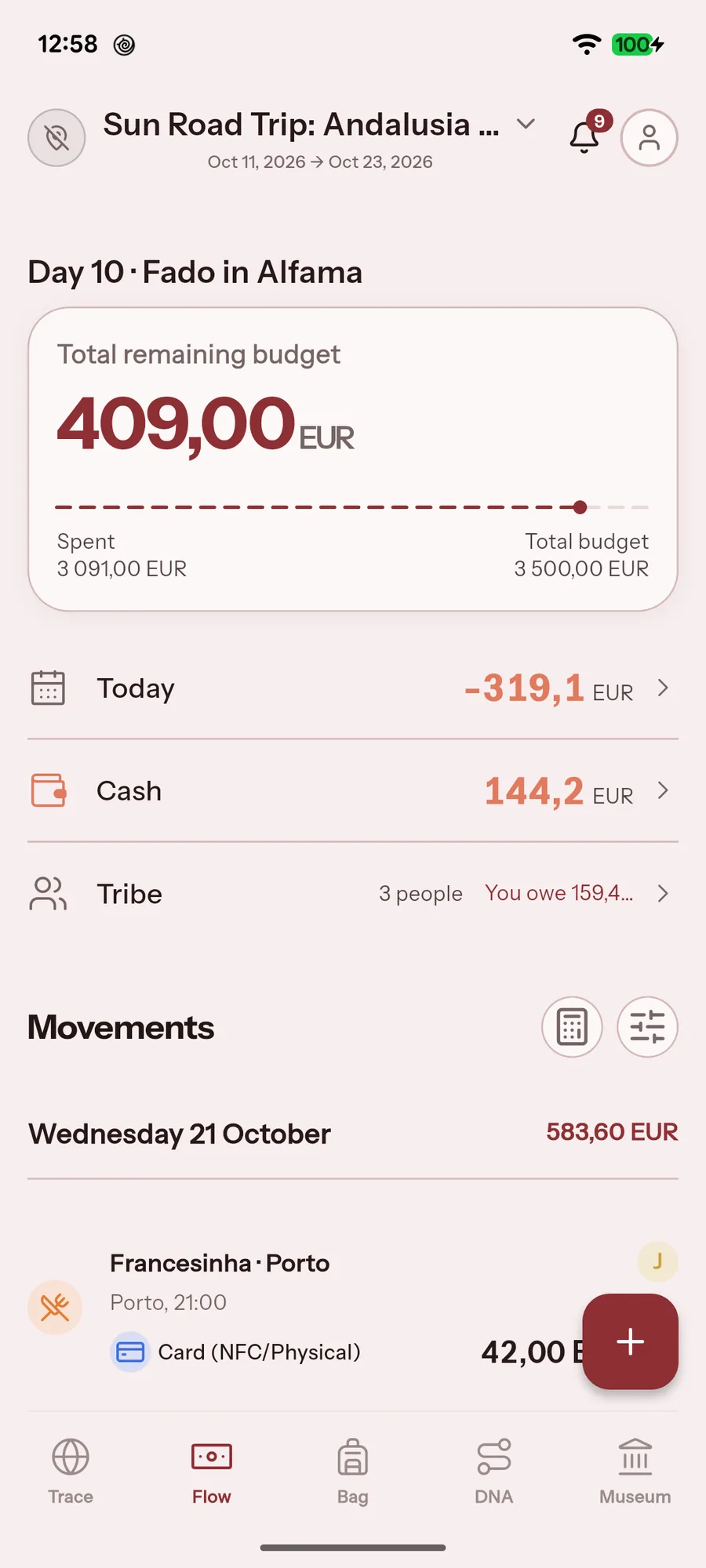
Your spending, clear from the first day to the last.
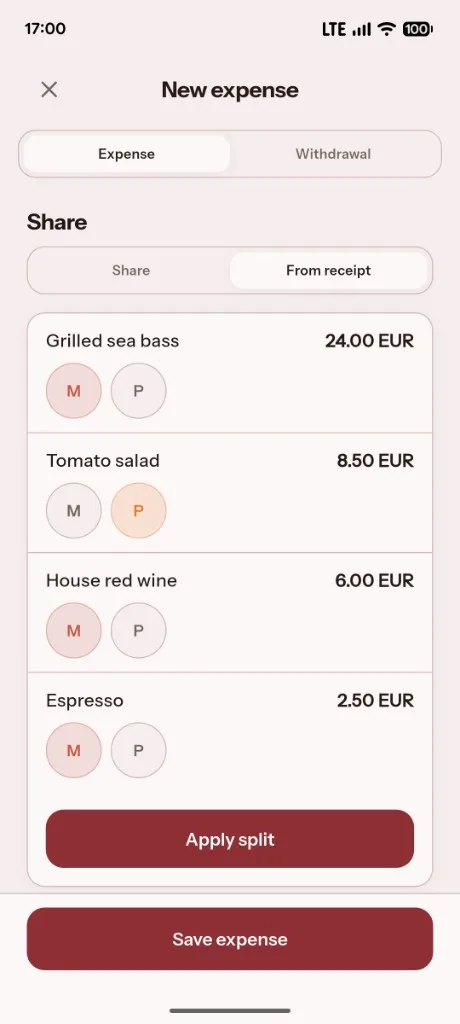
Log an expense in seconds, at a restaurant or while you are out sightseeing. Huasca handles every currency, converts the amounts and shows what you can still spend each day. It also tracks your cash withdrawals and their fees, and tells you when the exchange rate changes what your cash is worth.
- Every currency, converted automatically
- Shared expenses between travelers
- Stats that show where the money goes
- Today’s budget and the cash you have left
- Cash withdrawals and their fees
- A heads-up when the exchange rate moves
It all works offline, even far from any signal.
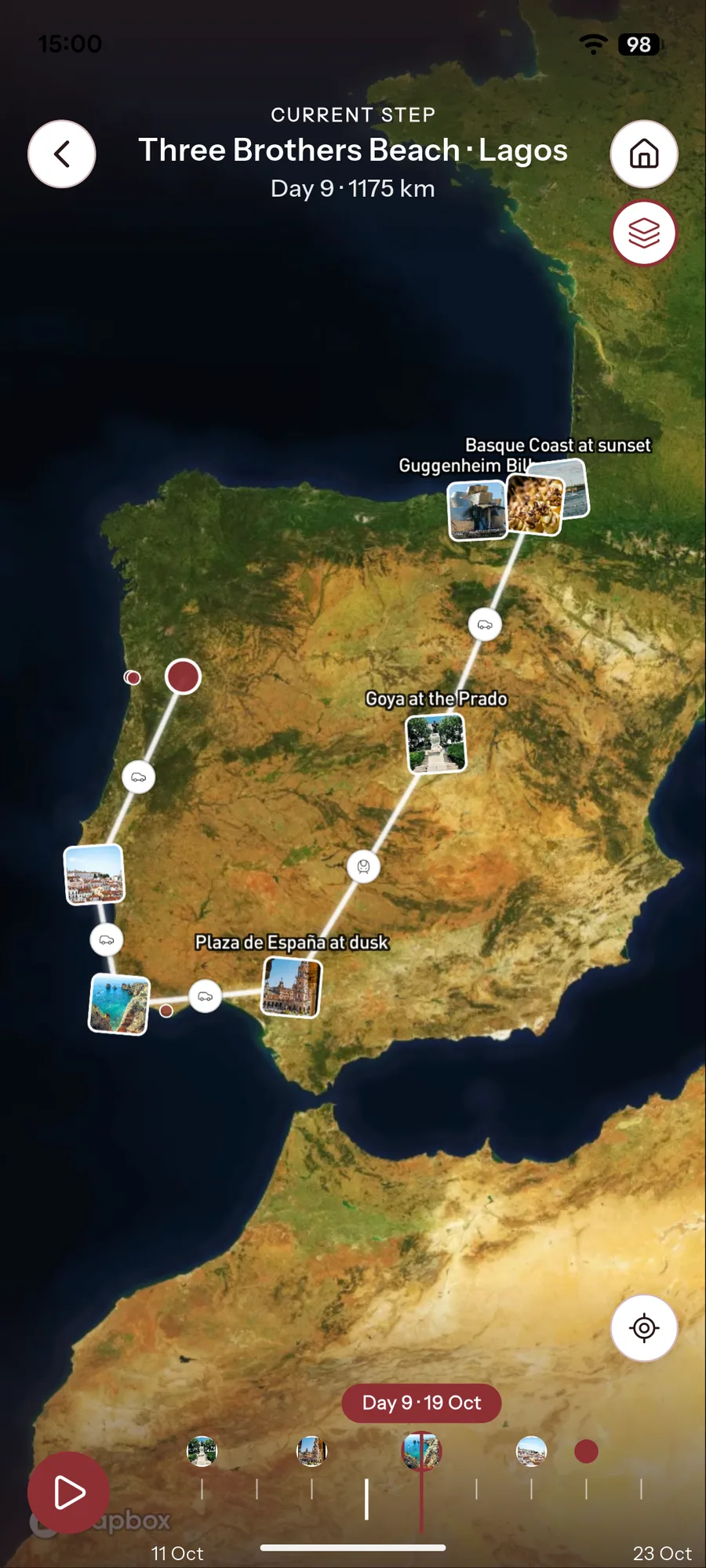
Your route builds up as you travel.
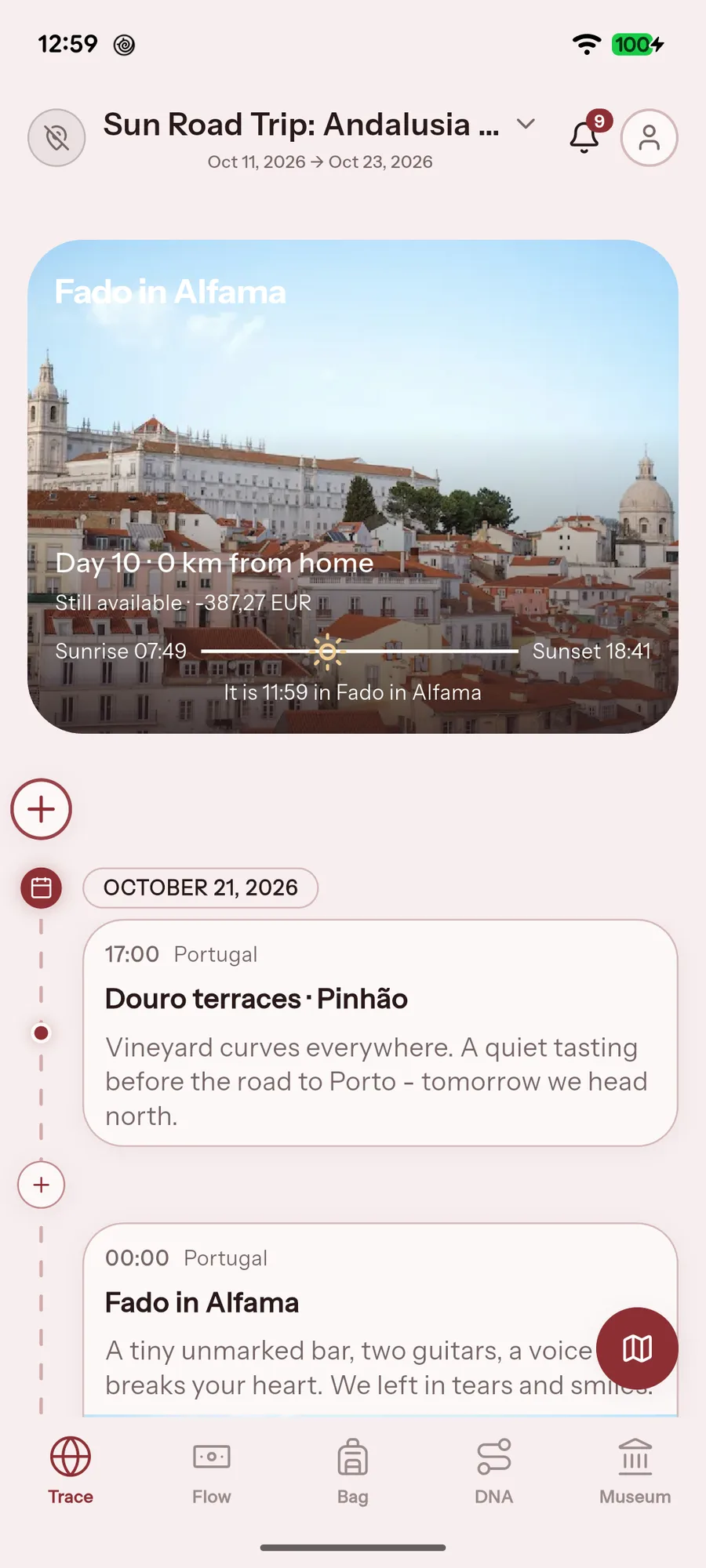
Turn on tracking for a trip and Huasca records your route while going easy on the battery. Afterwards you find every stop, the distances covered and the weather at each place, laid out day by day instead of as raw GPS points.
- Battery-friendly tracking
- A detailed map of your route
- Stops grouped by day
- A timeline of the whole trip
- The weather where you are
- UNESCO sites, 3D relief and a spending map (Explorer)
- Stories about the places you pass (Explorer)
Tracking is always optional.
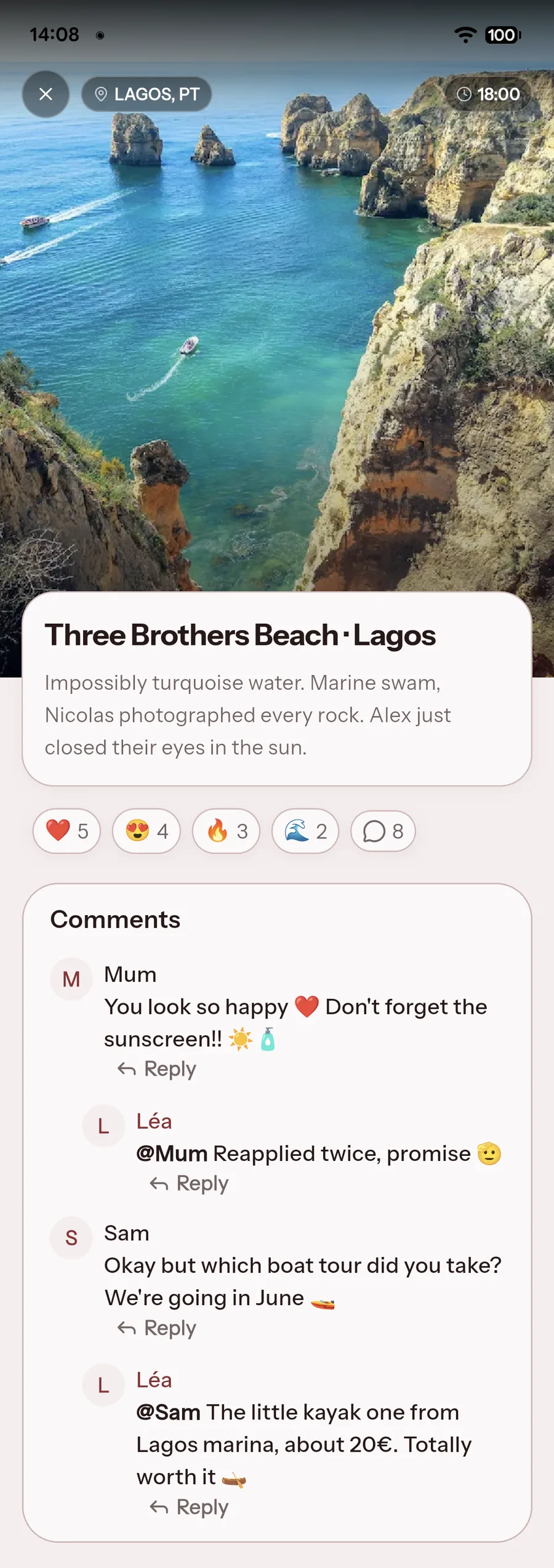
Your journal stays on the right day, in the right place.
Add a photo, a video or a few lines, and Huasca places them on the map on the right day. The journal fills in as you travel, and with Explorer the AI completes the memory for you.
- Every photo pinned to the right spot
- A travel journal on the map
- Explorer completes the memory with AI
- Sharing with the people you choose
You end up with an album in trip order, ready to share.
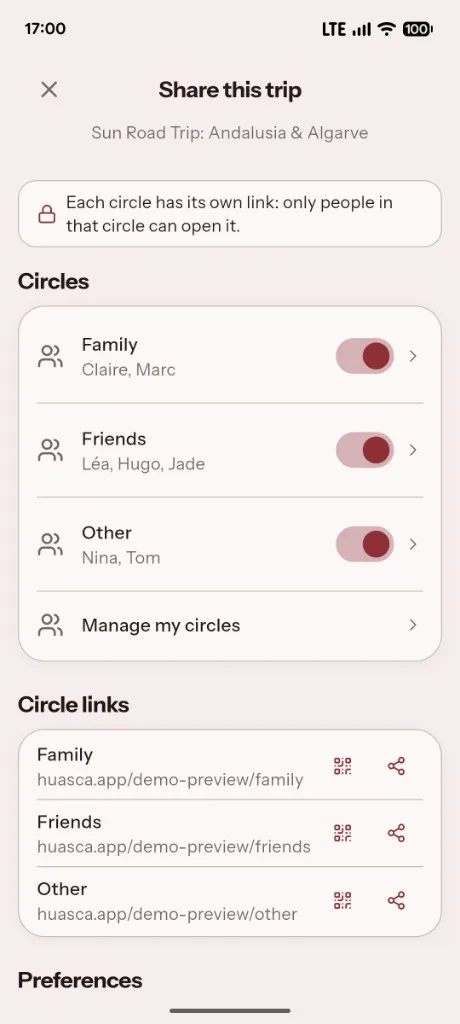
Share the trip, keep the rest to yourself.
Create your circles once, for example family and friends, then choose for each trip who can follow it. Every circle gets its own link and QR code, open to anyone or limited to a list of emails. You can replace or switch off a link whenever you like.
- A link and a QR code for each circle
- A precise location by default
- A Live badge and your last position
- Comments and reactions, with blocking
By default, people see your precise location. You can choose an approximate location instead.
Take a photo, Huasca fills in the rest.
Photograph a receipt and Huasca reads the amount, currency, date and every line. Photograph an item and the AI suggests a name so you can add it to your bag. In your stats, the assistant also gives you tips on your spending.
- Receipt reading
- Gear recognition for your bag
- Tips on your spending
- A traveler profile refined by AI
- Nothing is sent without your say-so
The AI only runs when you ask, and you always confirm. Free: 3 receipt scans a month. Explorer: up to 100.
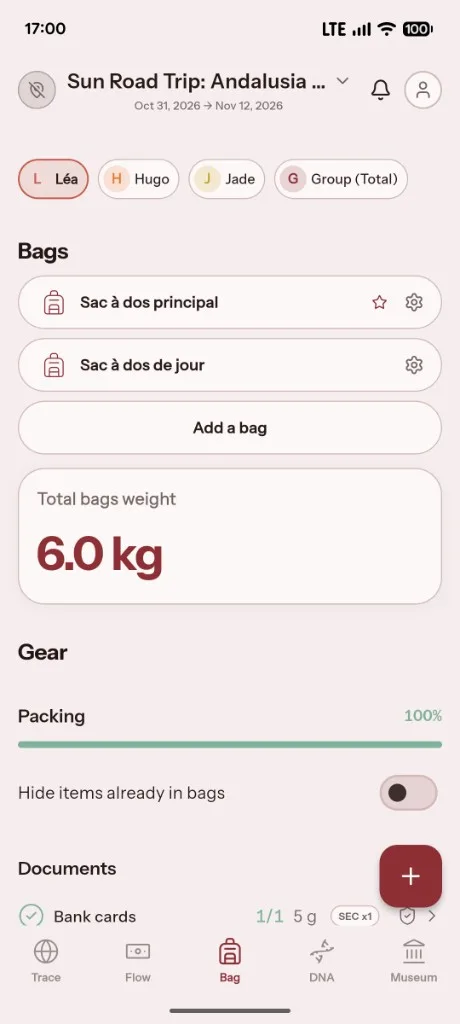
Pack your bag without surprises at the airport.
List your things with their weight and see the total for each bag straight away, cabin or hold. Tick off what is already packed and start from ready-made lists. To go faster, photograph an item and the AI suggests its name.
- The weight of each bag, cabin and hold
- A checklist while you pack
- Ready-made packing lists
You know what your bag weighs before it goes on the scale.
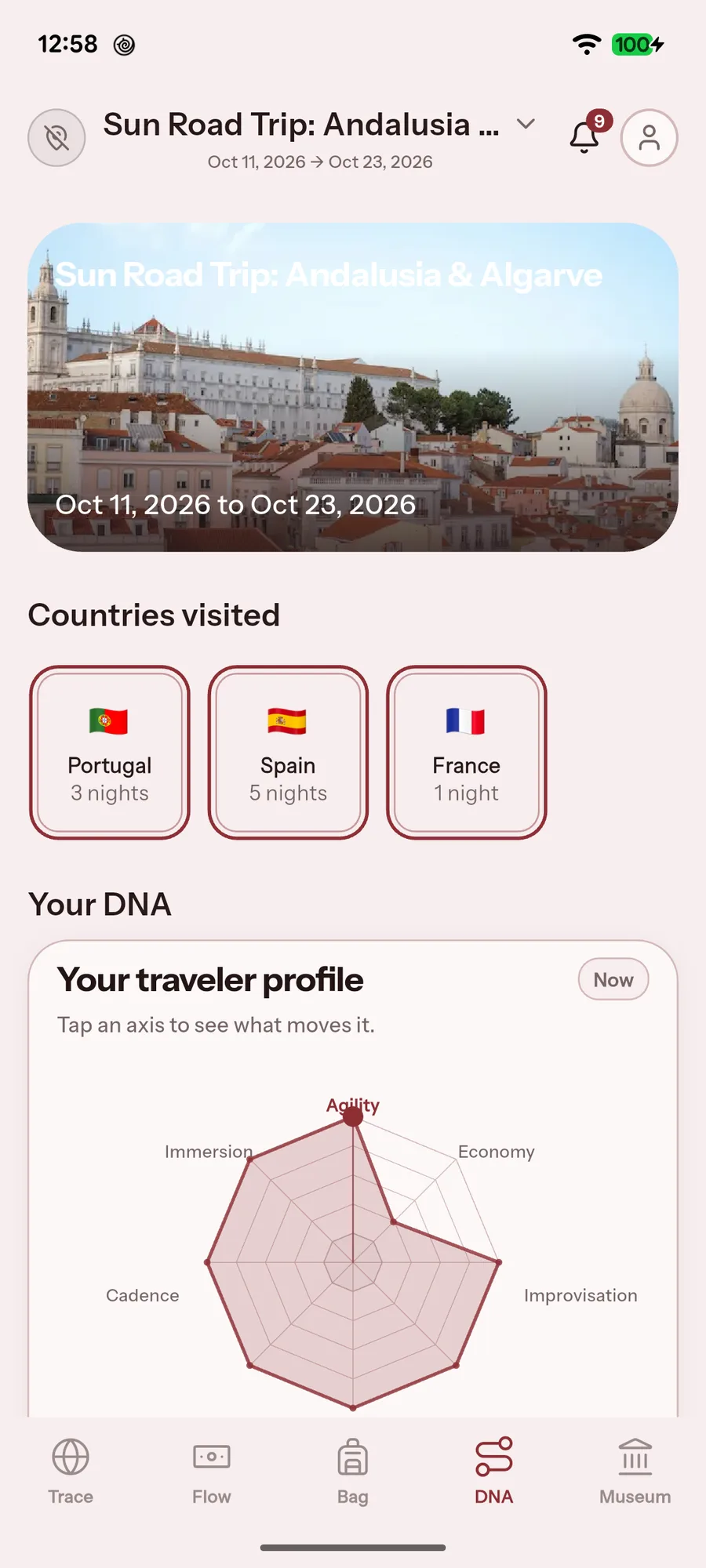
Discover what kind of traveler you are.
Huasca looks at your trips across eight traits, such as adventure, budget and local immersion, and gives you a profile that changes over time. Your achievements are kept in a personal museum, and you can compare your style with your travel companions.
- A profile across eight traits
- Traveler types to recognise yourself in
- A museum of your achievements and badges
- A comparison with your group
The full profile and the end-of-trip recap are part of Explorer.
Your trips stay yours.
Your trips and locations are saved on your phone. Nothing goes online until you turn on backup or sharing. For people who were not on the trip, you can share a read-only link.
- Saved on your phone by default
- Online backup if you turn it on
- A read-only link for loved ones
- Usable without a connection
You choose what leaves your phone, and when.
Try Huasca on your next trip.
The app is free on the App Store and Google Play, with a demo trip so you can try everything.
Get the app