Works offline · You choose what you share · No ads
Your whole trip, organised in one app.
Huasca tracks your spending, draws your route and keeps your photos where they were taken. You can also share the trip with family and friends, who follow along from a simple link.
Free on the App Store and Google Play
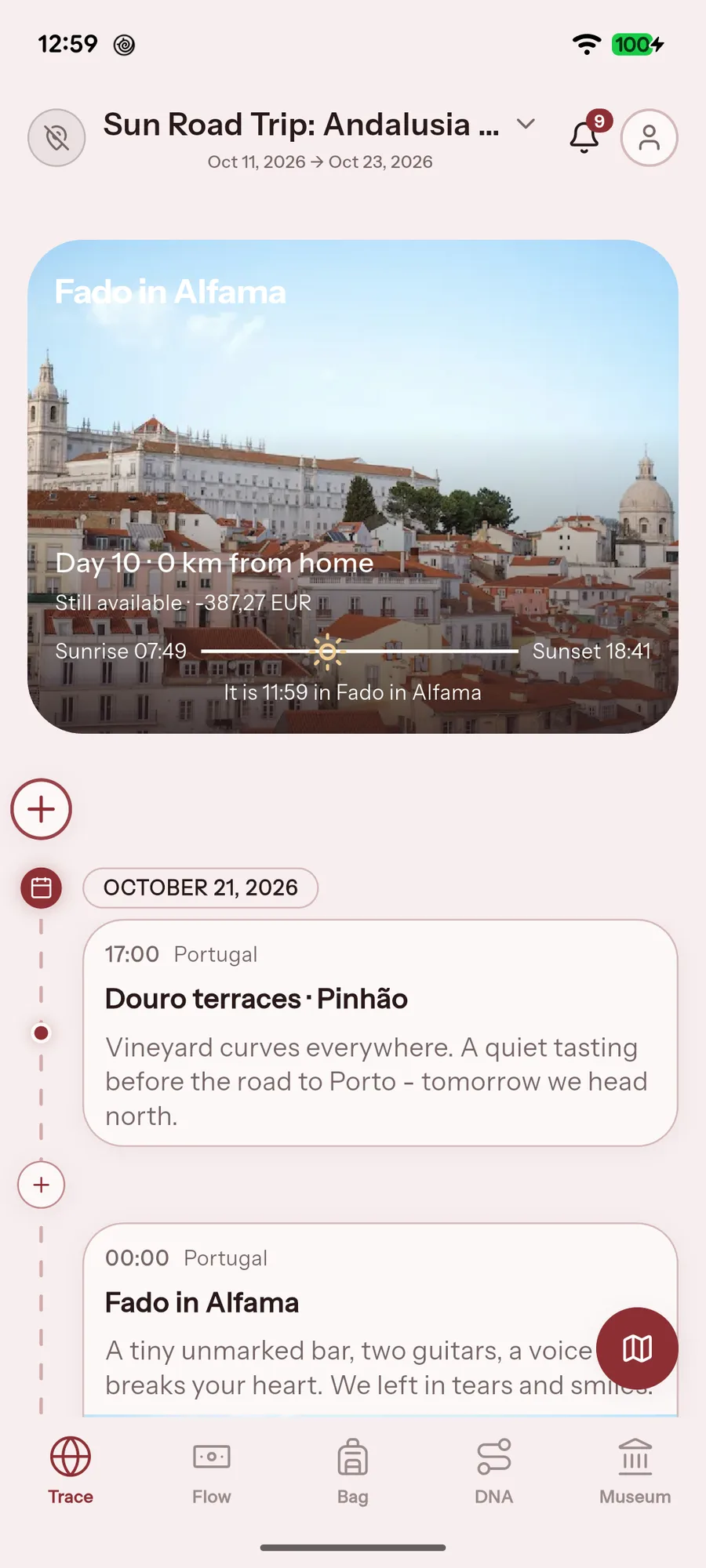
What Huasca does for you
Your spending tracked in any currency, even offline
Your route drawn on the map automatically
Your photos sorted by day and place
A link so loved ones can follow the trip
A bag packed to the gram before you leave
A traveler profile that grows with every trip
Map · Memories · Flux · Share · Profile
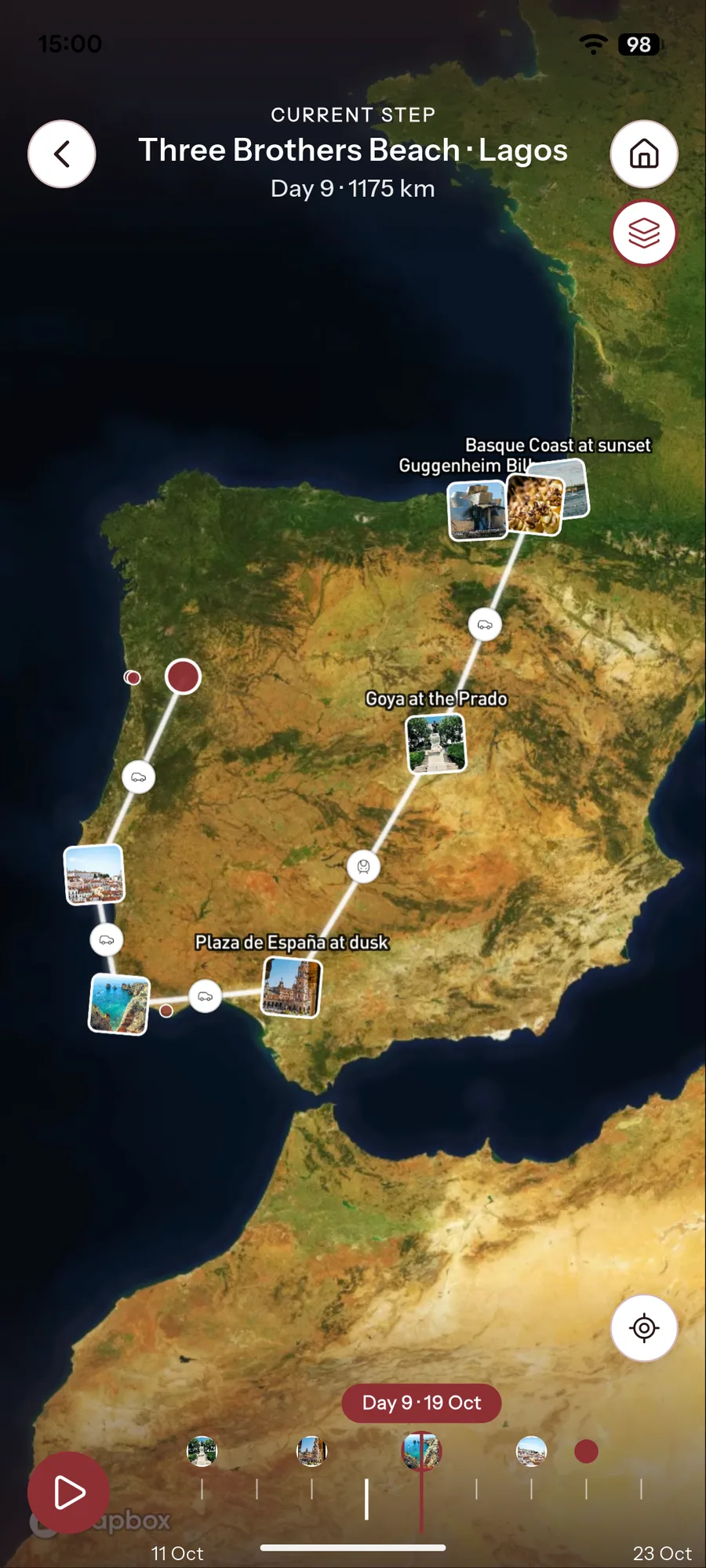
Your route draws itself.
Turn on tracking for a trip and Huasca records your route day after day, without draining your battery. Afterwards, every stop and every journey is there on the map.
Your memories stay tied to the places.
Each photo or video is saved with the day and the spot where you took it. Back home, you relive the trip in order, right on the map.
You always know where the budget stands.
Log an expense in seconds, in any currency. Huasca converts it, shows what you have left per day and works out who owes what in the group.
Family and friends follow along from afar.
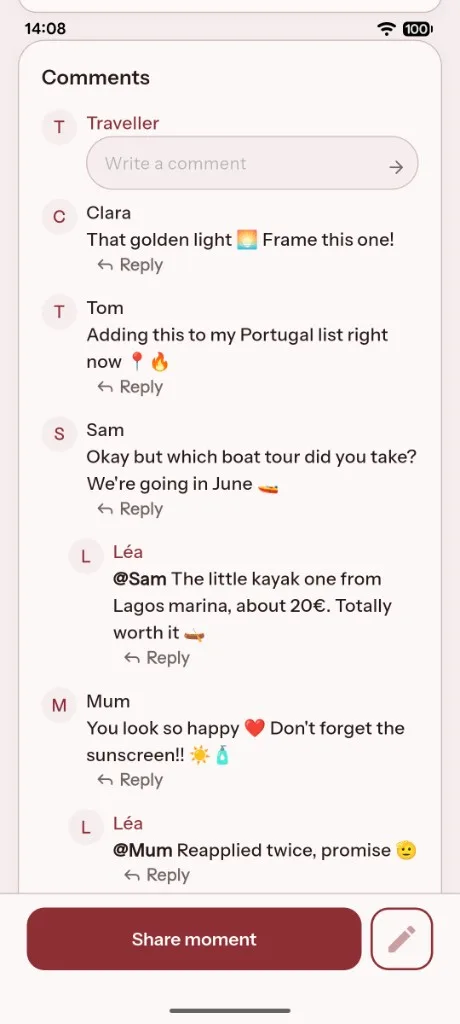
Send family or friends a link. They follow the route and the memories you pick, and they can comment on each stop and each photo.
Discover what kind of traveler you are.
Trip after trip, Huasca builds your profile across eight traits such as adventure, budget and local immersion. Your achievements are kept in a personal museum.
Trip sharing
Share the trip with the right people.
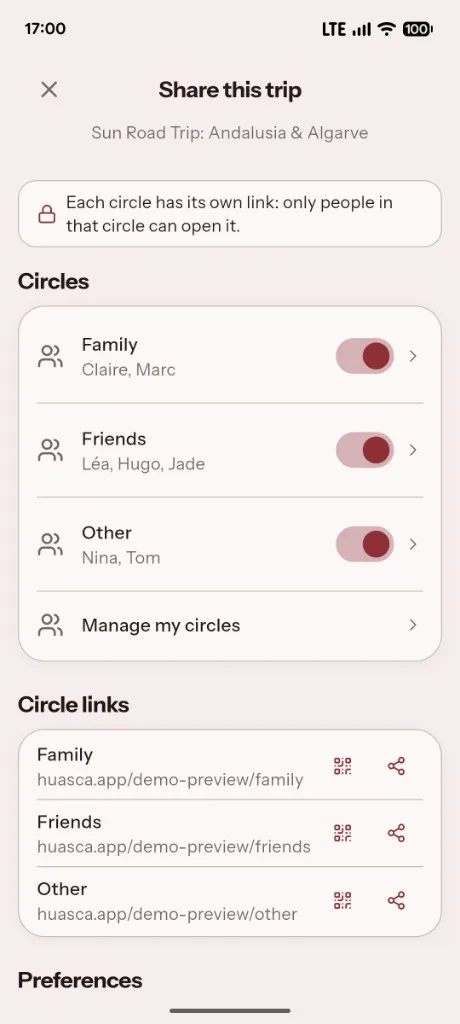
Set up your circles once, for example family and friends. For each trip, you pick which circles can follow it. Every circle gets its own link and QR code, which you can replace or switch off at any time.
How sharing worksOne link per circle
The link can be open to anyone who receives it, or limited to a list of email addresses. You choose. You can turn it off or replace it whenever you want.
You choose what you share, and with whom
By default, people see your precise location. You can switch to an approximate one whenever you want. Each memory can be shown to the circles you pick, to everyone, or only to you.
They follow the trip, then look back on it
While the trip is underway, their page shows a Live badge and your precise position. After you get home, they can go through the route from the first day to the last on that same page. Open it as a visitor before you send the link, so you see exactly what they will.
Comments you stay in charge of
Guests can react and leave comments on your memories, and you get a notification. You stay in charge: you can remove comments or block anyone you want.

Artificial intelligence
AI that saves you typing, with you in charge.
Take a photo of a receipt and Huasca fills in the expense for you: amount, currency, date and each line. You can also snap an item to add it to your bag, or ask for tips on your spending.
The AI only runs when you tap the button, and you always check the result before saving.
See what the AI does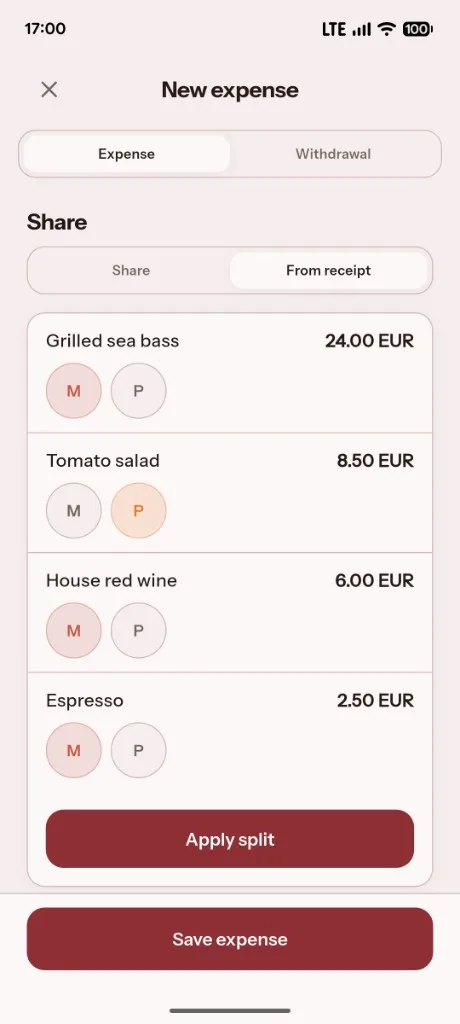
Free, then Explorer
Free to start, Explorer when you want more.
Voyageur
Free
One active trip at a time, up to 150 expenses per trip and 3 receipt scans a month. Enough to see if Huasca fits you.
Explorer
€12.99 a month or €39.99 a year
Explorer keeps everything in the free plan, then adds the following.
Several trips at once
The single active trip limit goes away, and each trip can hold as many expenses as you log.
Photos and videos online, with no cap
Every photo and video from the trip is backed up online, with no daily limit.
100 receipt scans a month
The AI reads your receipts for you. On the free plan you get 3 scans a month.
Shared bills, line by line
Split a group expense between travelers and see who owes what.
The full traveler profile
Your profile across eight traits, plus a recap once the trip is over.
A richer map
UNESCO sites, 3D terrain, and your spending shown along the route.
Stories from the places you pass
Short anecdotes about the spots you actually walk through.
Explorer Pass
7 days €4.99 · 30 days €12.99 · 90 days €29.99
The same Explorer benefits for 7, 30 or 90 days. No subscription and no renewal, which suits one big trip.
Indicative prices in euros. The store shows the exact price in your country. No checkout on this site.
Get the appYour data stays on your phone unless you decide otherwise.
01
Works without Internet
Your trips, expenses, receipts and GPS points are saved on your phone. With no signal, everything keeps working as usual.
02
Backup only if you want it
Online backup, which lets you find your trips on another phone, is off by default. You turn it on yourself if you want it.
03
Location on your terms
Route tracking is optional and only applies to one trip at a time. You can manage your budget without ever turning location on.
04
Delete everything whenever you like
You can erase your trips, expenses and memories from the app, or delete your account from this site. Deletion starts right away, with no waiting period.
FAQ
Is Huasca free?
Yes. You can create a trip and follow the budget, the map and your memories without paying. The free plan includes one active trip at a time, up to 150 expenses on that trip and 3 receipt scans a month. Explorer removes those caps. It also adds the full traveler profile, the end-of-trip recap, the advanced map layers and up to 100 receipt scans a month. You buy it in the App Store or on Google Play, not on this website.
Are my data uploaded to the cloud automatically?
No. Trips, expenses and memories stay on the phone until you decide otherwise. Online backup, which is what lets you find those trips on another device, is sent only after you turn it on yourself in the app.
Can I manage a trip with several people?
Yes. Add your travel companions to the trip and Huasca splits the expenses between you, then shows who needs to pay whom back. For people who are not travelling with you, you create circles, such as family or friends. Each circle gets its own link or QR code, and you choose what that circle can see.
What does the AI actually do?
The AI reads a receipt you photograph and fills in the amount, currency, date and each line. It can also suggest a name when you photograph an item for your bag, and it can give you tips on your spending. With Explorer, it also completes the text of a memory. Nothing is sent until you tap the button, and you check the result before saving it.
Ready for your next trip?
Download Huasca for free and try it with the demo trip before you even leave.
Free on iPhone and Android
Get Huasca
Free on iPhone and Android